Luminescent and Animated Rust Skins: What Glows and What Moves
How glowing Rust skins use emission maps, why they don't light your base, and where animated skins fit in, with live prices as of October 14, 2026.

Rust nights are dark enough that most players carry a torch or a flashlight. Against that darkness, a skin that glows is hard to miss, which is both its appeal and its drawback. Luminescent skins are a well-established part of the market. Animated skins are much newer and, for now, mostly sit outside the trading economy. Here is how each works and what they cost.
How a glowing skin works
Rust skins are built in the in-game Workshop editor by swapping an item's texture maps. Facepunch's wiki describes the diffuse texture as the one that "holds the color of the item." Glowing parts come from an emission map, a separate texture that marks which areas render as self-lit. In the dark, the marked areas keep their brightness while the rest of the model falls into shadow.
Facepunch is still refining this. Its public commit log shows recent work on emission intensity in the Workshop, and the June 4, 2026 patch notes include "Fixed emission levels for the furnace in workshop skins."
Glow is not light
The most common misunderstanding: a glowing skin doesn't light up the room around it. Players who have tested this report that glowing boxes, doors and rugs look lit themselves but don't cast light onto walls or floors. For real light you still need candles, lanterns, ceiling lights or a burning furnace.
That makes glow a visibility feature, not a lighting one. You can find a glowing box in a pitch-black loot room. You can't read the boxes around it by its light.
Glowing sights
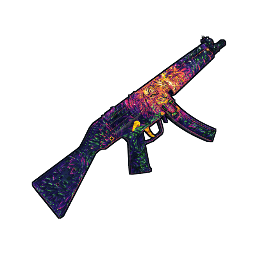
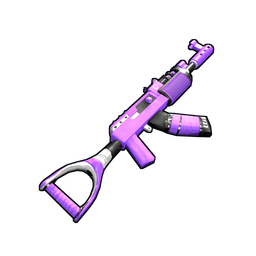
A few weapon skins put the glow where it matters most to the player: the sights. Community skin databases tag both the Alien Red and the Glory AK47 as having a glowing, modified sight. Both are early Assault Rifle skins from 2017, and both are among the most expensive weapon skins in the game.
Who actually benefits from glow
Glow is most useful on things you need to find and least useful on things you need to hide.
- Storage boxes. Labeled, glowing boxes are the classic case. The Neon storage set uses glowing labels so you can tell ore from explosives in a dark base.
- Doors and hatches. A glowing door is easier to find on the way home at night. It's also easier for anyone else to see.
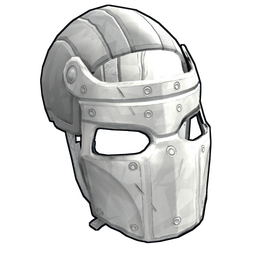
- Weapons and clothing. A glowing gun or helmet looks striking, but it can stand out in a night fight. Whether that's worth it is a personal call.
Facepunch has long treated bright skins as something to keep scarce. Its older Workshop FAQ says skins have limited runs and that this is "particularly true with bright skins that we don't want to see everywhere."
Glowing skins and their prices
Community skin databases tag each of these as glowing. Prices are the lowest Steam listing and supplies are estimates, both from rustskins.gg as of October 14, 2026.
| Skin | Item | Lowest Steam listing | Estimated supply |
|---|---|---|---|
| Glory AK47 | Assault Rifle | $279.98 | 1,274 |
| Alien Red | Assault Rifle | $167.38 | 3,580 |
| *S* Door | Sheet Metal Door | $139.96 | 1,088 |
| Neon Boom Storage | Large Wood Box | $35.92 | 21,129 |
| Brutalist Sheet Metal Door | Sheet Metal Door | $18.97 | 20,146 |
| Neon Drop Box Storage | Large Wood Box | $15.12 | 37,131 |
The table shows a wide range. Glow alone doesn't make a skin expensive. The two Assault Rifle skins are old with small supplies. The Neon Boom Storage is a 2021 store skin that community trackers record at $2.99, and it is now one of the 20 most valuable Rust items by market cap. The Brutalist door, recorded at $3.99 in 2023, has also held well. Glow seems to add a premium when a skin is already useful and in demand. It doesn't save a skin nobody wants.
Animated skins
Most Rust skins are texture swaps on the existing model. Animated skins go further: they change how an item moves.
Facepunch's own animated items
The clearest examples so far come from Facepunch, not the Workshop. The June 2026 update shipped an Industrial Decor Pack that included an Industrial Torch "featuring an electric filament and unique animations" and an Industrial Garage Door "featuring a unique animation." The same update added the Bowless Crossbow, a skin that reshapes the crossbow itself around a "bowless pulley system," in Facepunch's words.
These are sold through the in-game store and Rust's Steam item store, not the weekly community rotation. As of October 14, 2026, the Industrial Garage Door, Industrial Torch and Bowless Crossbow have no listings on Steam or any tracked third-party marketplace. That's consistent with how Facepunch treats permanent store items, which it says can't be traded or resold. Buy them because you like them, not as inventory value.
Signs of Workshop support
Facepunch's public commit log shows work on Workshop "animator controls, with setup for bbq skinnable." That suggests groundwork for community skins with moving parts, starting with the barbecue. Facepunch hasn't announced a release, so treat it as work in progress, not a feature you can buy today.
Don't confuse animated skins with animated items. Rust also has animated neon signs, but those are deployables in their own right, not skins.
Buying tips
- Preview before you buy. Since the June 2026 update, the skin viewer lets you inspect skins in your hand straight from the store or your Steam inventory menu. Check how the glow looks in game.
- Check tradability. If you care about resale, confirm the item has real market listings. Glowing Workshop skins from the weekly store trade. Facepunch's own animated pack items, so far, do not.
- Mind the listing count. As of October 14, 2026, the older glowing weapon skins have only about a dozen Steam listings each, so one sale can move the price.
- Compare across marketplaces. On thin, expensive skins, third-party prices often sit well below Steam's lowest listing. The price comparison tool shows the spread.
To see whether glowing skins are moving as a group, the 7-day movers on the market cap page are the quickest check.