Rust Trading Safety: How to Avoid the Most Common Scams
The scams that target Rust traders, from fake Steam logins to swapped trade offers and impossible Twitch drop sales, plus the account settings that protect you.

Start with the rule that shapes everything else: a completed Rust trade is final. Steam has a feature called Trade Protection that lets victims reverse trades from the past seven days, but Steam's support pages say it currently applies only to Counter-Strike 2. Rust items aren't covered. Since March 2016, Valve has also refused to restore items that leave an account through a successful trade or market sale. If your skins go, they usually stay gone.
That makes prevention the whole game. Here is what to set up, the scams to recognize, and what to do if something slips through.
Lock down the account first
Use the Steam Guard Mobile Authenticator
The mobile authenticator does two jobs. Every trade and market listing needs a confirmation on your phone, which stops anyone with only your password. It also removes trade holds. Without it, Steam holds trades for up to 15 days so a hijacked account can cancel them. After you add the authenticator, trades made in the first seven days can still be held for up to 15 days. That's on purpose: it protects you if someone else added the authenticator.
Guard the codes and approvals
Never type a Steam Guard code, or approve a login on your phone, because someone in a chat asked you to. A real friend or trading partner never needs your code. A sign-in request you didn't start is a red flag on its own.
Check for a Web API key
Steam accounts can register a Web API key at steamcommunity.com/dev/apikey. Scammers have used keys on compromised accounts to watch trade offers in real time. Valve has since added a mobile confirmation step for creating a key, but it's still worth checking that page. Revoke any key you didn't create, and never paste your key into a site that asks for it.
The scams that target Rust traders
Fake login pages
This is the most common way inventories are stolen. A link in Discord, a Steam comment or a "free skins" ad leads to a page or pop-up that looks exactly like Steam's sign-in. Whatever you enter goes to the scammer. Before you sign in anywhere, check the address bar for steamcommunity.com or store.steampowered.com. Better yet, type the address yourself or use the Steam app. A sign-in window you can't drag outside the browser, or that has no real address bar, deserves suspicion.
Swapped trade offers
Once a scammer has access to your session, they can watch for a trade you're about to confirm. They cancel it and send a near-identical offer to an account that copies your real partner's name and avatar. You open the phone app, see what looks like the right trade, and confirm it. The defense is to open the confirmation in full and check the recipient's account details, not just the name and picture. If an offer you made disappears and a new one shows up, stop.
Impersonation and fake middlemen
Scammers pose as Valve staff, Facepunch employees, marketplace support or a "trusted middleman" who will hold items during a deal. Valve and Facepunch don't contact you through friend requests to "verify" items, and no legitimate deal needs you to hand items to a stranger first. Copied names and avatars cost nothing, so check profile age, level and trade history.
Items that can't be traded
Some offers are impossible on their face. Twitch drop skins are account-bound, per Facepunch's own wiki. Permanent store items can't be traded either, per Facepunch's 2021 announcement. Anyone "selling" those is selling an account, which breaks Steam's subscriber agreement and can be taken back, or selling nothing at all.
Overpay bait
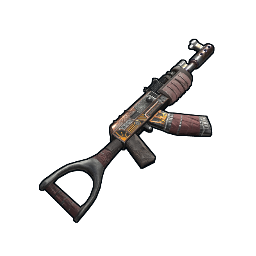
"I'll pay 30% over Steam for your Comics AR, just sign in to this site to complete the sale." The overpay is the hook, and the link is the trap. If a buyer insists on a specific site you've never heard of, check it against a known list of marketplaces before going near it.
Traps that aren't technically scams
Not every loss involves a scammer. Thin markets can make a price look real when it isn't.
On October 14, 2026, the Guerilla M249 topped rustskins.gg's 7-day gainers at +417%. Its $6.62 Steam price rested on 5 listings. The best Steam buy order was $1.33, and the cheapest third-party listing was $1.06. Anyone buying at the top of that order book is paying several times what the item can be resold for. Before acting on a sudden spike, check the listing count and the buy orders.
A pre-trade checklist
- Read every item on both sides of the offer, including the item names and how many there are.
- Confirm the partner's account on the confirmation screen, not just their display name.
- Treat urgency as a warning sign. "Accept in the next minute" is pressure, not a deal.
- Keep deals inside Steam's trade window or an established marketplace. Don't accept outside payment for Steam items from strangers.
- If a trade would leave you with a hold, Steam tells you before you confirm. Don't dismiss that screen without reading it.
Using third-party marketplaces safely
Marketplaces can save you 25% to 35% compared with Steam's lowest listing on many skins, but they hold your items or money during a trade. Reduce the risk:
- Reach them from a bookmark or a trusted list, never a link in a DM. Clone sites with near-identical addresses are common.
- Check fees, reviews and how long the site has operated. The marketplace directory lists each site's type, fees and details, and the Steam Market profile covers Steam's own rules.
- Withdraw funds you don't need, rather than leaving a balance on a site.
- Compare prices with the price comparison tool so a too-good offer stands out.
If something goes wrong
Act fast, in this order:
- Change your Steam password from a device you trust, then sign out of all other devices from Steam's account settings.
- Revoke any Web API key at steamcommunity.com/dev/apikey.
- Secure the email account linked to Steam. That's often how attackers get back in.
- Cancel any pending trades or market listings you don't recognize.
- Contact Steam Support through help.steampowered.com, and report the scammer's profile.
Be realistic about recovery. Valve's long-standing policy is not to restore items after a completed trade, and Rust has no reversal window. Every minute you spend on the steps above protects what's still in your inventory.