CS2 Float Values and Wear Tiers: What the Numbers Mean
How CS2 float values map to the five wear tiers, why float caps matter, and when a low float or a rare wear really changes what a skin is worth.

On October 14, 2026, the cheapest Minimal Wear Glock-18 | Fade tracked on cs2skins.gg cost $1,664.88, while the cheapest Factory New copy cost $1,203.32. The "worse" exterior was about 38% more expensive. That only makes sense once you understand float values, float caps and how they interact with supply.
What a float value is
Every CS2 weapon skin, knife and pair of gloves carries a number between 0 and 1 called its float, shown in game as the Wear Rating. It is set when the item is created, whether by a case opening, a drop or a trade-up contract, and it never changes afterwards. Using the skin in matches does not wear it down.
A low float means a clean finish and a high float means scratches, fading and paint loss. How visible that is depends on the skin: some designs look almost identical across the whole range, while others lose large patches of paint.
The five wear tiers
The float decides which exterior label the item gets. The tiers are the same for every skin:
| Exterior | Float range |
|---|---|
| Factory New (FN) | 0.00–0.07 |
| Minimal Wear (MW) | 0.07–0.15 |
| Field-Tested (FT) | 0.15–0.38 |
| Well-Worn (WW) | 0.38–0.45 |
| Battle-Scarred (BS) | 0.45–1.00 |
Each exterior is a separate item on the Steam Community Market and on most third-party sites, so "AK-47 | Redline (Field-Tested)" and "AK-47 | Redline (Minimal Wear)" have different order books and different prices. You can browse skins by exterior on the cs2skins.gg exteriors page.
Notice how uneven the ranges are. Field-Tested covers 0.23 of the scale, while Well-Worn covers only 0.07. That alone makes some exteriors much more common than others.
Float caps: why some skins skip tiers
Not every skin can roll the full 0–1 range. Each finish has its own minimum and maximum float, and the item can only land inside that band. Three well-known examples:
- AWP | Asiimov runs from 0.18 to 1.00, so Factory New and Minimal Wear copies don't exist. Field-Tested is the cleanest version you can buy.
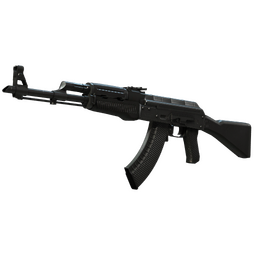
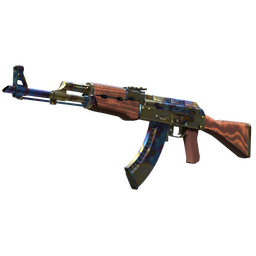
- AK-47 | Redline runs from 0.10 to 0.70. There is no Factory New Redline, and Minimal Wear only covers 0.10–0.15.
- Glock-18 | Fade runs from 0.00 to 0.08. It only exists in Factory New and in a very thin slice of Minimal Wear, between 0.07 and 0.08.
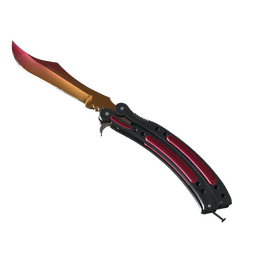
That last one explains the price inversion at the top of this post. A cap that leaves only a sliver of a tier creates a rare exterior. Rare doesn't automatically mean expensive, but some collectors pay extra to own the scarce version. The same pattern showed up on the ★ Butterfly Knife | Fade (float range 0.00–0.08), where the cheapest MW listing was $2,122.99 against $1,823.13 for FN as of October 14, 2026.
How float shows up in price
Tier boundaries matter most
The biggest price jumps usually happen at tier boundaries, because the label on the listing changes. Here is the Redline as of October 14, 2026, using the cheapest listing per exterior on cs2skins.gg:
| AK-47 Redline exterior | Cheapest listing |
|---|---|
| Minimal Wear | $119.34 |
| Field-Tested | $24.05 |
| Well-Worn | $20.94 |
| Battle-Scarred | $20.84 |
Minimal Wear costs about five times Field-Tested, while Well-Worn and Battle-Scarred are close to FT. On this skin, the MW premium comes from scarcity: the 0.10 cap leaves Minimal Wear only 0.05 wide.
The AWP Asiimov shows a flatter curve: $92.63 for FT, $74.00 for WW and $69.50 for BS on the same date. Because its range starts at 0.18, even the best copies show some wear, and buyers treat the exteriors as closer substitutes.
Low floats inside a tier
Within one exterior, floats near the clean end usually sell for more. A 0.151 Field-Tested often looks close to Minimal Wear, while a 0.37 FT can look closer to Well-Worn. Marketplaces that show individual listings let buyers sort by float, and sellers price accordingly.
That premium is real but uneven. It is largest on expensive, popular skins where wear is visible, such as knives, gloves and high-tier rifles. On a budget skin, a slightly better float rarely moves the price much.
When high floats sell
Clean isn't always the goal. Some finishes wear in interesting ways, and a few buyers deliberately look for very high floats because the worn look is distinctive. These are niche markets with thin demand, so don't assume a high float will find a premium buyer quickly.
Checking a float before you buy
You no longer need special tools to see a float:
- In game: open your inventory, inspect the item and click the information panel. It shows the Wear Rating, the Pattern Template and the exterior.
- On the Steam Market: Valve's May 2026 overhaul of the Community Market added float and pattern template fields to CS2 listings, rolled out as a default-on beta.
- On third-party marketplaces: most show the float on each listing. Item pages on cs2skins.gg include a live listings section with individual floats and pattern seeds next to the price.
Always check the float of the exact item you are paying for, not a screenshot or a description. Two items with the same name and exterior can differ a lot.
Float and trade-up contracts
Float also matters when you craft skins. In a trade-up contract, the output's float is calculated from the inputs' floats, adjusted for each skin's float range. Low-float inputs produce low-float outputs, which is why traders pay for cheap but clean ingredients. Valve doesn't publish the formula, but community testing indicates it changed in October 2025, so older guides that simply average the input floats can give wrong answers.
A quick checklist
- Look up the skin's float range before you buy, so you know which exteriors exist and which are scarce.
- Compare prices per exterior rather than per skin name; the Factory New exterior page is a good starting point for clean skins.
- Pay a low-float premium only where the difference is visible or the market clearly rewards it.
- Check the float on the item itself before confirming any trade.
- Compare the same exterior across stores on the marketplace comparison page. Gaps between stores are often larger than the gap between a good and an average float.